Owner & settings
Showroom POS (add-on)
For sellers who also have a showroom or stall - sell at the counter from the same stock, cash shifts and customer dues.
Who it is for:OwnerManager
EcomDesk is built for online selling, but if you also have a showroom, a stall at a fair or walk-in customers at your warehouse, you can sell at the counter from the same stock. Counter sales and online orders then share one stock and one set of reports.
Sell at the counter
Orders › Showroom POS opens the counter screen (owner, manager and the Cashier role).
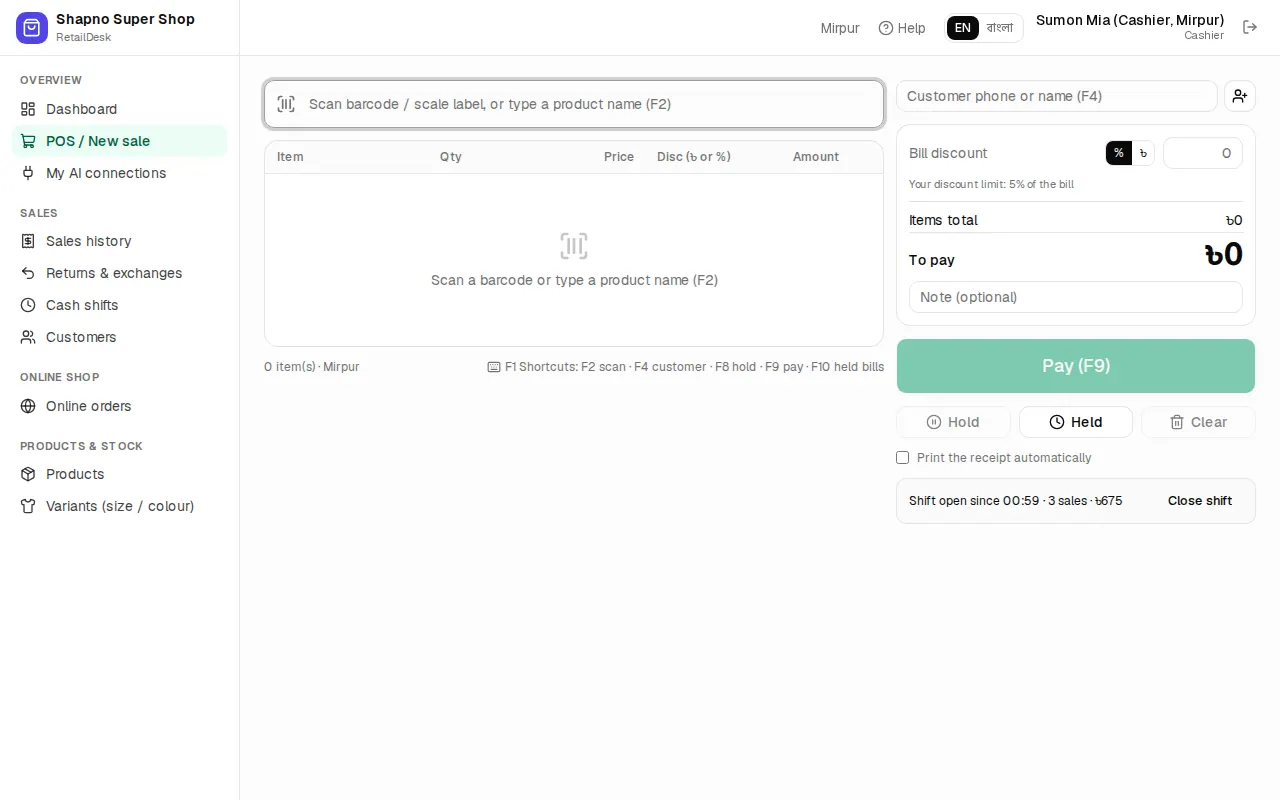
- Search or scan a product and pick the size / colour.
- Optional: type the customer's phone to attach the sale to them.
- Click pay, choose cash, bKash, card or a mix, and finish. Print or send the receipt.
Cash shifts
If cashiers handle cash, open a shift with the starting cash and close it at the end of the day with the counted cash. Orders › Cash shifts shows the expected and counted cash and any difference.
Sales history and dues
- Orders › Sales history lists every invoice, counter sales and confirmed online orders alike. Open one to reprint, return or (manager) void it.
- Orders › Customer dues (baki) shows customers who owe you money, with buttons to take a payment and send an SMS reminder.