Owner & settings
Platform console
For JonakiSoft and resellers - stores, new client accounts, plans and renewal, view as owner, resellers and white-label brands, website and pricing, contact requests.
Who it is for:Platform admin
On this page
The platform console at /platform is for the people who run EcomDesk for many sellers: the JonakiSoft platform admin and resellers (partners). Store staff never see it.
Overview
The overview shows the paying stores, the stores on free trial, sign-ups in the last 30 days, the estimated Monthly revenue (est.), the stores Ending in the next 7 days, the stores Locked out until renewed and the Newest shops. The menu has Overview, Shops and Contact requests; the platform admin also has Resellers and Website & pricing. A reseller sees only their own stores.
Shops
Shops lists every store with its plan, status, end date, reseller, number of users and products, and last sign-in. Search by name, short id or phone, or filter by reseller.
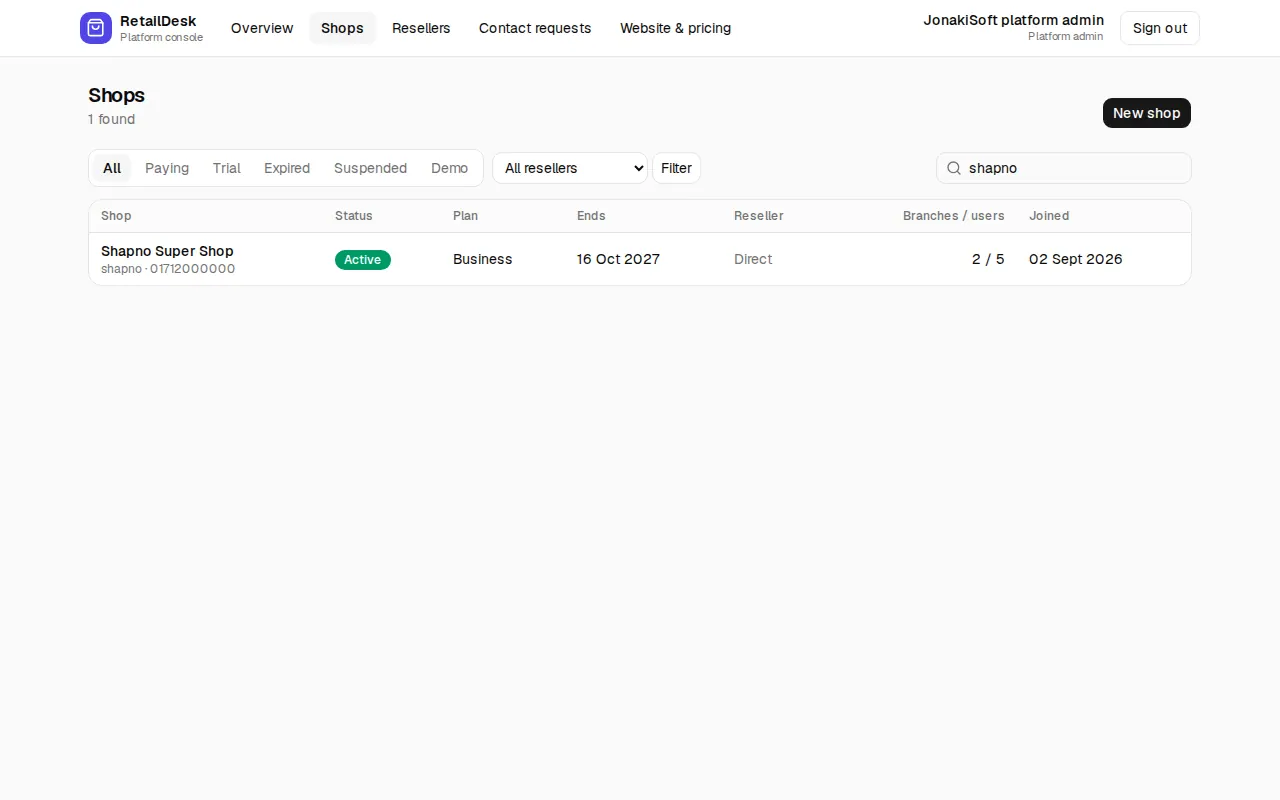
Open a store to:
- Plan & renewal: Extend by days, Run until a date, No end date, or End now (lock out), then Save plan. When the end date passes the store is locked out until renewed; data is kept.
- Suspend / Reactivate: while suspended nobody can sign in and the online store goes offline.
- View as owner: open the store as its owner for one hour to help them. Everything you do is real and is logged in the store's audit log and in Console history.
- Reset password for the owner.
- Move the store to another reseller.
New client
Shops › New shop creates a store for a seller you signed up yourself: Shop name, Owner's name, Owner's mobile number, a Password and optionally Free trial (days) (empty = default trial). Click Create shop and tell the owner to change the password after the first sign-in.
Resellers (platform admin)
A reseller sells EcomDesk under their own brand. On the reseller page set the brand name, logo, colour, support phone and email, the domains that show this brand, the trial days, whether stores can sign up on their own, and the reseller's admins. Stores on a reseller's domain see the reseller's name and logo everywhere, including this user guide.
Website and pricing (platform admin)
Website & pricing edits the public website's plans and prices and extra offers such as a one-time own-server licence.
Contact requests
Messages sent from the public Contact page arrive here. Change the Status of each one as you follow it up.